Chromatogram window
The Chromatogram window is the central window (opened by clicking the  icon) for displaying, modifying and evaluating chromatograms. The appearance shown in this section applies when the Instrument is configured as GPC Type and GPC Mode is enabled.
If GPC Mode is disabled, the Chromatogram window behaves and appears as a standard Chromatogram window without GPC-specific tabs and calculations.
For chromatograms measured on an Instrument configured as GPC Type, both standard chromatographic data and GPC-related data are stored in the file. The displayed information depends on whether GPC Mode is currently enabled or disabled. Switching the mode changes only the view and available calculations, not the stored data.
In the Graph pane, alternatively a Chromatogram, MW Distribution or Cumulative MW Distribution tab can be displayed using the appropriate tabs.
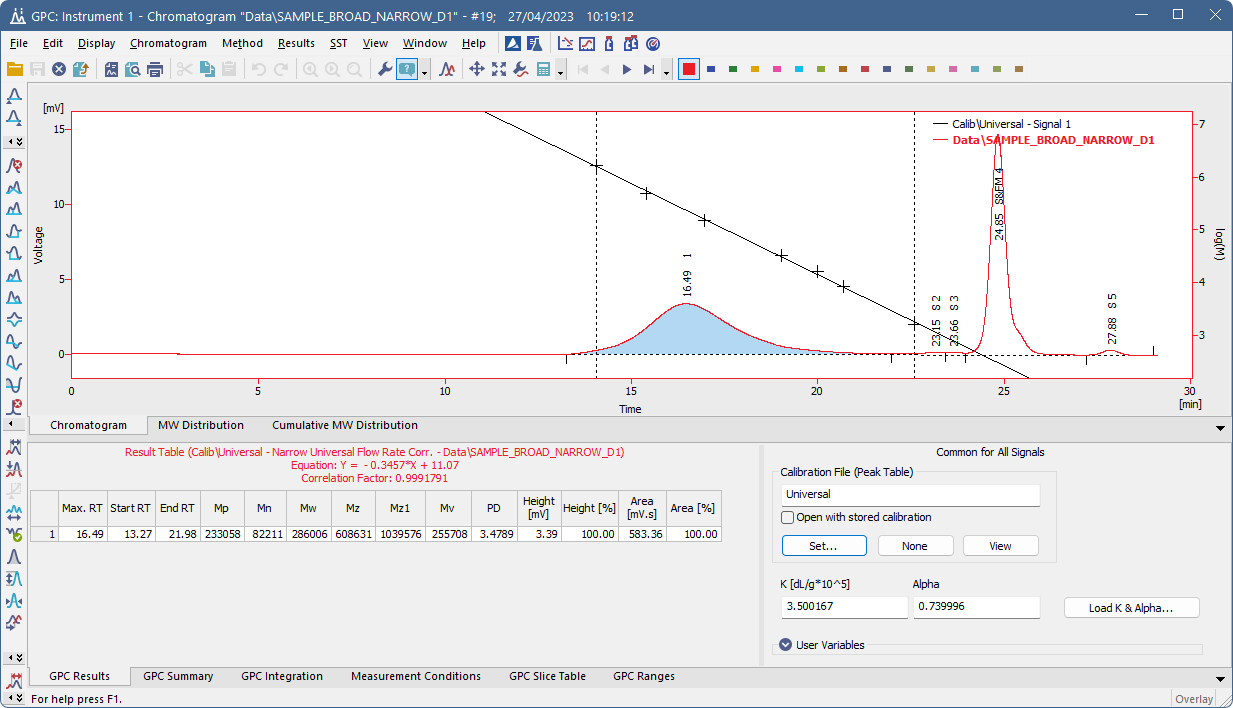
Chromatogram
In the Tables panel, any of the GPC Results, GPC Summary, GPC Integration, Measurement Conditions, GPC Slice Table and GPC Ranges tabs can be displayed using the appropriate tabs.